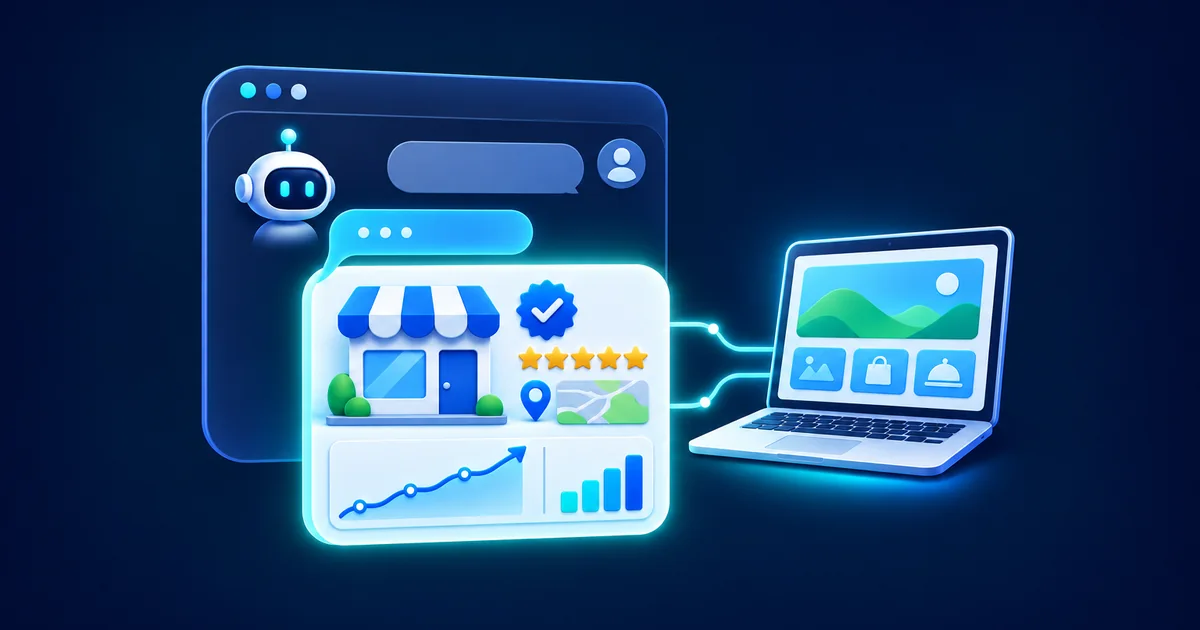
On November 10, 2026, OpenAI launched Businesses in ChatGPT in beta. For the first time, a business can claim its ChatGPT business profile, correct the details ChatGPT shows about it, and see how often ChatGPT mentions it and sends people to its website. OpenAI says ChatGPT reaches 1.2 billion people every week, which makes this the closest thing yet to a Google Business Profile for AI answers.
This guide covers what a ChatGPT business profile is, how to claim yours in Business Hub, what the new insights actually measure, how Business Agents work, and what all of it means for your SEO. Everything here comes from OpenAI's own announcement, help center and policies, so you can tell what is real from the hype that followed the launch.
The short version: OpenAI lists no fee to claim your business in ChatGPT. Claiming gives you control over the details you provide and unlocks a 28-day insights dashboard. It does not make ChatGPT recommend you more often, and OpenAI says so directly. Your visibility still comes from your website and your reputation across the web, which is why SEO matters more now, not less.
What is a ChatGPT business profile?
A ChatGPT business profile is the page people see when they click on a business that appears in a ChatGPT answer. According to OpenAI's announcement, when a business shows up in a response, people can click through to its profile, and if the business has a Business Agent, they can start a separate conversation with it to ask follow-up questions.
Your business may already have a profile even if you have never touched it. The Businesses in ChatGPT policy notes that profiles may include information from other sources. Claiming is how you take over the details you provide: your website, description, category, logo, policies and, if you sell online, your products. Once your identity check is approved, the profile also gets a blue verified check.
Business Hub, profiles and Business Agents: how the pieces fit
OpenAI launched several connected products at once, and most coverage mixes up the names. Here is how they relate:
- Businesses in ChatGPT: the overall beta program for bringing businesses into ChatGPT.
- Business Hub: the dashboard, opened from the ChatGPT sidebar, where you claim your business, edit its details, connect product feeds and view insights. It is open to eligible businesses wherever ChatGPT is available.
- Your business profile: the public page in ChatGPT that shows your business information, with a blue check once you are verified.
- Business Agents: an optional AI assistant built from your own product and policy information. At launch they are limited to eligible ecommerce and online service businesses in the US.
- ChatGPT Ads: separate from all of the above. You can sponsor your Business Agent as an ad destination, and OpenAI says sponsored placements are clearly labeled and kept separate from ChatGPT's answers.
How to claim your business in ChatGPT
Claiming happens inside ChatGPT. OpenAI's help center guide to setting up your business lays out the steps. You need to own the business or be authorized to represent it, and you do not need an Ads account or a ChatGPT Enterprise agreement.
- 1
Open Business Hub
Sign in to ChatGPT, open Business Hub from the sidebar and search for your business by name.
- 2
Select your listing
Pick the listing that matches your business and confirm which ChatGPT account will manage it. If you run an eligible online business and cannot find a listing, you may see an option to add one. Local stores and restaurants can currently claim only an existing US listing.
- 3
Verify your claim
Choose one of the verification methods offered for your business: a code sent by text or automated call to your business phone, a code sent to your business email, a DNS TXT record added to your website domain, or a connected Shopify store.
- 4
Wait for approval
OpenAI reviews the claim and emails you a decision or a request for more information. You can cancel the claim while it is under review.
- 5
Complete identity verification with Persona
Before you can publish changes, view insights, connect a product feed or build an agent, you complete an identity check with Persona. Have a government-issued ID, your business registration details and proof that you can represent the business ready. Approval adds the blue verified check to your profile.
- 6
Update your business details
Edit your website, description, category, logo, delivery policy and return policy, and add a cover photo. OpenAI reviews and publishes each change, so updates can take time to appear.
Two details catch people out. First, if you use Persona to create a brand-new profile, OpenAI's approval publishes it automatically, and OpenAI Support cannot delete, unpublish or hide a published profile, so only start once your details are ready. Second, domain verification means adding a DNS record. If your web developer manages your domain, they will need to add it for you.
What you can change on your profile
After your claim and Persona check are approved, you can manage:
- Your website address, business description and product or service category.
- Your logo, a cover photo and other optional details.
- Your delivery and return policies.
- A product feed with prices and availability, uploaded as a CSV that follows OpenAI's product feed specification, linked as a hosted feed URL, or connected through Shopify.
Everything you add has to follow the Businesses in ChatGPT policy. It requires accurate, current information about your name, category, address or service area, hours, contact details and offerings, and it bans fabricated reviews, unsupported guarantees and misleading links. OpenAI also warns that ChatGPT may use other sources when it answers questions about your business, so your profile is one input, not the only one.
The new insights: mentions, website clicks and discovery topics
This is the part most business owners will care about. Until now there was no official way to know how often ChatGPT brought up your business. Business Hub now shows aggregate activity for the past 28 days, and OpenAI's help center defines each metric:
- Mentions. For an online business, a mention counts when ChatGPT references your website. Your brand name alone does not count. For a local business, a mention counts when ChatGPT shows a result for that location, even if the person never opens the listing or visits the website.
- Website clicks. How often people click through from ChatGPT to your website.
- Discovery topics. Common themes in ChatGPT answers that mentioned or cited your business. They do not reveal individual prompts or directly measure what customers intended.
There are limits. Businesses never see individual prompts or conversations, including chats with their own Business Agent. Insights only appear once activity passes a reporting threshold, so a blank metric does not necessarily mean zero activity. Smaller businesses should expect some empty tiles at first.
Even with those limits, this is useful data. The mention rule for online businesses is the important part: a mention counts when ChatGPT references your website. That ties ChatGPT visibility directly to your site, which is exactly what SEO work improves. We recommend recording these numbers every month next to your Google Search Console data, which already includes Google's AI Overviews and AI Mode in its Performance report. Together they show how both Google and ChatGPT surface your business, and your analytics show what those visitors do once they arrive.
Business Agents: an AI sales assistant inside ChatGPT
If you run an eligible ecommerce or online service business in the US, you can also build a Business Agent. It answers customer questions using the product details, policies and instructions you give it. OpenAI's example is a shopper comparing two products and asking which one fits their needs.
- The agent conversation is clearly labeled and kept separate from the customer's original ChatGPT chat and from ChatGPT's independent answers.
- You preview the agent with real customer questions before you publish it, and customers can only chat with a published agent.
- For now, an agent cannot complete purchases, make bookings or check an order. It explains your products and policies and links to your website, where the customer finishes the purchase or booking.
- Your agent instructions must follow OpenAI's Business Agents policy, which also sets the eligible industries.
- You can sponsor your agent and use it as the destination for ChatGPT Ads.
Because the agent sends people to your website to buy or book, your site still decides whether that interest turns into revenue. A slow page or a confusing checkout wastes a conversation that ChatGPT already warmed up for you.
What a ChatGPT business profile means for your SEO
The most important line in OpenAI's help center is about ranking. Claiming your business "doesn't guarantee increased visibility or give you direct control over ChatGPT's independent recommendations." OpenAI adds that disputing ownership does not change visibility and that advertising does not influence ChatGPT's independent answers. So the profile is not a ranking shortcut. It makes sure the details are right when ChatGPT does bring you up.
Whether you get mentioned in the first place depends on the same things that have always driven search: a website that can be crawled, content that genuinely answers people's questions, and a consistent reputation across the web. Here is what that looks like for ChatGPT.
1. Let OpenAI's search crawler reach your site
OpenAI's crawler documentation says sites that opt out of OAI-SearchBot will not be shown in ChatGPT search answers, though they can still appear as navigational links. OpenAI recommends allowing OAI-SearchBot in your robots.txt file and allowing requests from its published IP ranges. Check both your robots.txt and any bot-blocking or firewall setting at your host or CDN, because a security rule can block the crawler even when robots.txt allows it.
OAI-SearchBot is separate from GPTBot, the crawler OpenAI uses for model training. You can block GPTBot and still allow OAI-SearchBot, so opting out of training does not have to cost you visibility in ChatGPT search.
2. Make your website the source ChatGPT cites
For an online business, a mention only counts when ChatGPT references your website. Pages that clearly explain what you do, who you serve, where you work and how to get started give ChatGPT something specific to reference. Discovery topics then show which themes you are already associated with, and the gaps point to content worth writing for your customers.
3. Keep your business details identical everywhere
Your ChatGPT profile, your website, your Google Business Profile and your directory listings should all show the same name, address, phone number, hours and services. OpenAI's policy requires profile information to be accurate and current, and Google treats a consistent name, address and phone number across the web as a local signal. Mismatched details give both systems a reason to doubt you.
4. Skip the AI hacks
The launch has already brought a wave of "ChatGPT SEO" and "GEO" offers. Be skeptical. Google's own guide to optimizing for generative AI search treats AEO and GEO as part of SEO, and says chunking content into tiny pieces or rewriting pages just for AI is not needed. Nothing in OpenAI's business documentation points to a shortcut either. What earns a place in Google's AI Overviews is the same thing that gives ChatGPT a page worth citing: original, useful content on a fast, crawlable site.
5. Claim every location
If you have more than one location or brand, each one is managed separately. OpenAI says claiming the main brand does not claim its locations, and central management across a parent company's brands and locations is not available yet. For a local business, a mention counts whenever ChatGPT shows that location as a result, so an unclaimed location is a profile you cannot correct. Our guide to local SEO for service area businesses covers the website side of showing up across multiple areas.
ChatGPT business profile vs. Google Business Profile
The comparison is natural, since both are business listings you claim and verify. The differences matter, though:
- Where it appears. Google Business Profile powers your listing in Google Search and Maps. A ChatGPT business profile appears when ChatGPT brings up your business in an answer.
- How ranking works. Google says local results are based on relevance, distance and prominence. OpenAI has not published ranking factors and says claiming does not guarantee more visibility.
- What you can measure. Business Hub reports mentions, website clicks and discovery topics for the past 28 days, with no access to individual prompts.
- Customer conversations. ChatGPT Business Agents let eligible US ecommerce and online service businesses answer questions inside ChatGPT, then send people to their website to buy.
- Why you need both. Google's guidance lists up-to-date Business Profile information as a best practice for appearing in its own AI features, and ChatGPT may draw on other sources across the web when it describes you. Neither profile replaces the other.
Watch out for claim scams
Every new listing system attracts people offering to "verify" it for a fee. OpenAI's documentation lists no fee to claim a business, and claiming happens inside ChatGPT through Business Hub. Never hand your verification codes to anyone, and do not forward a personal claim invitation. If you want an agency or teammate to help, OpenAI says the admin who claimed the business can add teammates and grant an agency access from Business Hub, each using their own ChatGPT account.
Your ChatGPT business profile checklist
- 1Ask ChatGPT about your business and your services in your area. Note what it says and which sources it cites.
- 2Claim your business in Business Hub and verify it by phone, email, domain or Shopify.
- 3Complete Persona identity verification to unlock editing, insights and the blue verified check.
- 4Update your description, category, website, logo and policies so they match your website and Google Business Profile exactly.
- 5Confirm that your robots.txt file and your firewall or CDN allow OAI-SearchBot.
- 6If you sell products, connect a product feed with current prices and availability.
- 7Claim each location separately.
- 8Record your mentions, website clicks and discovery topics every month, next to your Search Console data.
- 9Give your agency access through Business Hub instead of sharing your login.
How AI Guys can help
We run Google search and AI visibility as one program, because the same fundamentals drive both. For the businesses we work with, that means a fast, crawlable website, content built around what customers actually ask, a well-managed Google Business Profile, and monitoring how ChatGPT, Perplexity, Gemini, Google AI and other engines reference the business. It is the same approach that took Miami Swim Week to #1 in Google and AI search.
If you want help claiming your ChatGPT business profile, checking that OpenAI can crawl your site, or turning your discovery topics into a content plan, see how our SEO and AI visibility program works or book a call with us.
Frequently Asked Questions
Is it free to claim my business in ChatGPT?
OpenAI's documentation lists no fee to claim a business, and you do not need a ChatGPT Ads account or an Enterprise agreement. You do need a ChatGPT account, proof that you can represent the business, and an approved Persona identity check before you can edit details or view insights.
Will claiming my business make ChatGPT recommend me more often?
No. OpenAI says claiming lets you manage the information you provide but does not guarantee more visibility or give you control over ChatGPT's independent recommendations. Advertising does not influence those answers either. Visibility still depends on your website, your content and your reputation across the web.
What insights does ChatGPT Business Hub show?
Business Hub shows aggregate activity for the past 28 days: mentions, website clicks and discovery topics. For an online business, a mention counts when ChatGPT references your website. For a local business, it counts when ChatGPT shows that location as a result. You never see individual prompts or conversations, and a metric stays blank until activity passes a reporting threshold.
Who can use ChatGPT Business Agents?
At launch, Business Agents are available to eligible ecommerce and online service businesses in the US that have a website and meet the industry rules in OpenAI's Business Agents policy. Businesses that are not eligible for an agent can still claim and manage a profile.
Can local businesses and restaurants claim a ChatGPT business profile?
Yes, where eligible. Local stores and restaurants can currently claim only an existing US listing rather than adding a new one, and each location is claimed separately. Claiming the main brand does not claim its locations.
Can an agency manage my ChatGPT business profile?
Yes. The admin who claimed your business can add teammates and grant an agency access in Business Hub. Each person uses their own ChatGPT account, so you never need to share your login or forward a claim invitation.
Do I need a separate AI SEO strategy for ChatGPT?
Not a separate one. Make sure OpenAI's OAI-SearchBot crawler can reach your site, keep your business details consistent everywhere, and publish genuinely useful content. Google's own guidance treats AEO and GEO as part of SEO, and the same fundamentals give ChatGPT a reason to cite your website.